

Live results and spacing runs in Lumadex for XeraCAD
Drag a luminaire and watch the isolux, the area verdicts and the pole spacing follow it, then let Auto Calculate keep every span within S.
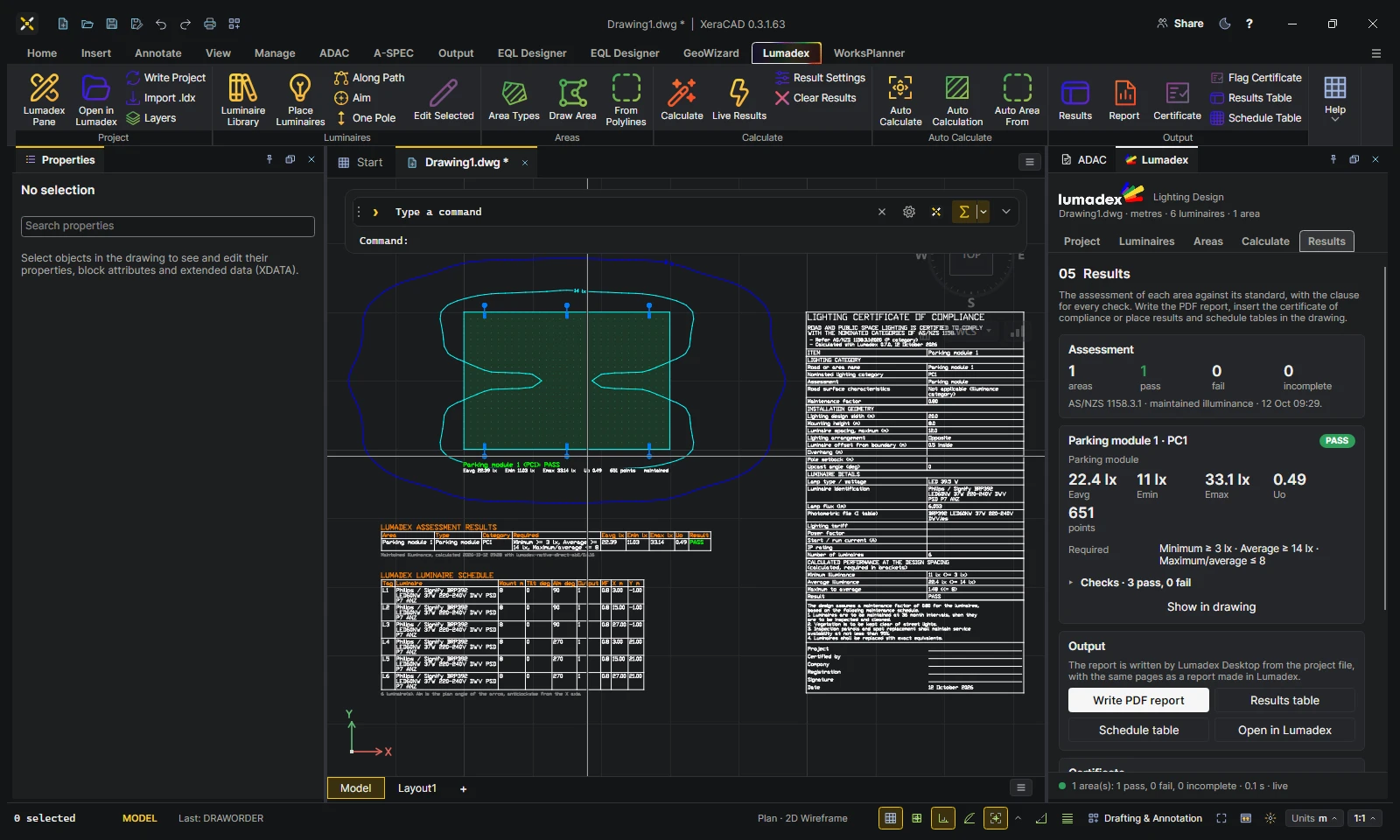
Lumadex for XeraCAD now shows the result of a change while you are still making it. Move a luminaire, drag a grip or place a new pole and the drawing is recalculated with the luminaires where the cursor has them.
Live results while you drag
The preview draws the isolux contours with their labels, the verdict and values of every area and the moving pole rings over the drawing. Each area's tint turns green or red as the preview passes or fails, so you can see the moment an area becomes compliant. The labels use the drawing's own font and layout, so the preview looks exactly like the result it will become.
Spacing runs
A spacing run is a line of poles checked against a stated maximum spacing S. Each span is drawn pole centre to pole centre with its distance and coloured green within S and red over. The poles are paired from where they stand, so dragging a pole past its neighbour pairs it with the pole it is now next to.
Auto Calculate respects spacing
Auto Calculate moves, turns and tilts the poles inside the hatched Auto Calculation areas to meet every assessment target. A span over its maximum spacing now outweighs every lighting target, so Auto never trades spacing for light. A layout that starts over S is pulled back within it. The result lists each run before and after.
The same project in Lumadex Desktop
Spacing runs, Auto Calculation areas and each luminaire's drawn pole and arm now travel with the project file. Open the drawing's project in Lumadex Desktop and the runs are drawn, edited and respected by Auto Calculate there too.